IPRA Case 360 and Details
IPRA 360 Case View
Once an IPRA request is submitted, the system automatically creates a case record and assigns a unique Request Number in the format:
IPRA-CNF-XXXXXXX.
Open the IPRA Case
-
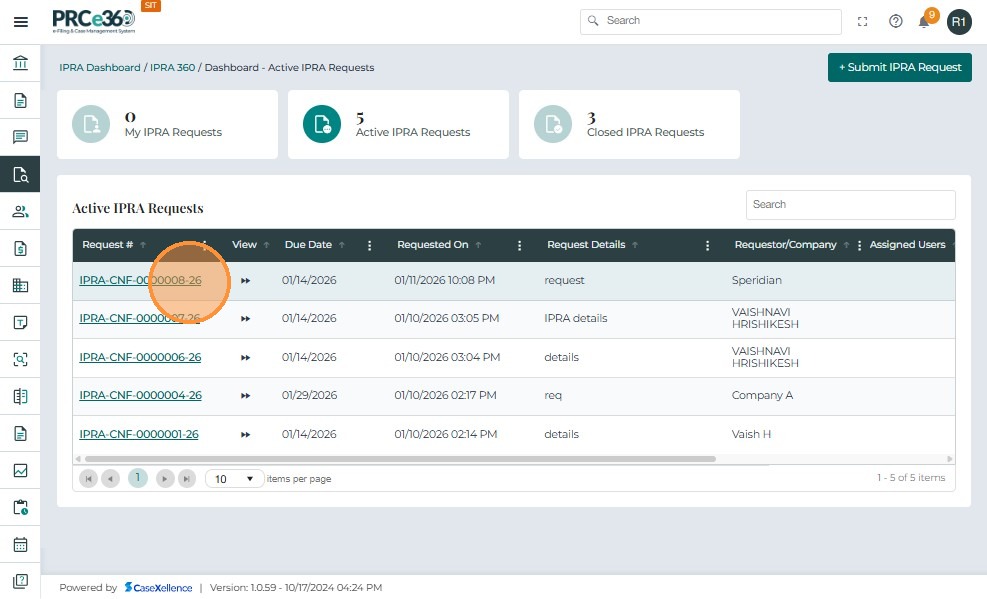
Navigate to the IPRA Dashboard.
-
Select the corresponding Request Number from the list to open the IPRA 360 View.
-
The Case 360 page displays all details and activity related to the request.
Case 360 Header Details
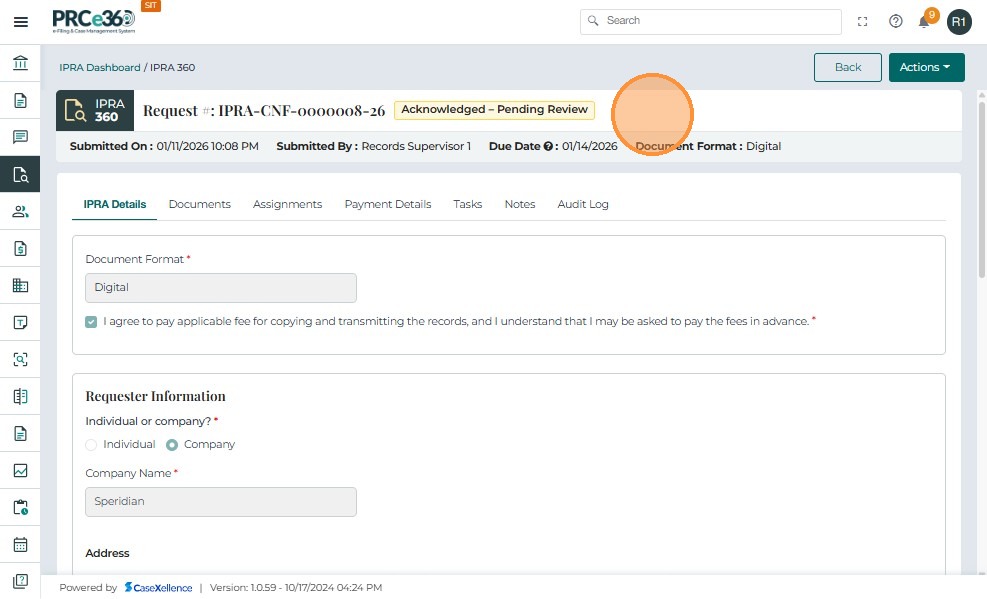
At the top of the Case 360 page, the header displays key summary details:
-
Request Number – The unique identifier automatically generated for the IPRA case.
-
Status – The current stage of the request (e.g., Acknowledged – Pending Review).
-
This status remains visible until the IPRA Legal Counsel takes action or assigns the case to another user.
-
If no action is taken within the 3-day statutory timeframe, the system automatically triggers an email notification to alert the Legal Counsel and Records team of the pending deadline.
-
-
Submitted On – The date and time when the request was created.
-
Submitted By – The Records user who initiated the request.
-
Due Date & Time – The statutory 3-day response deadline for Legal Counsel to acknowledge or act on the request.
IPRA Details Tab
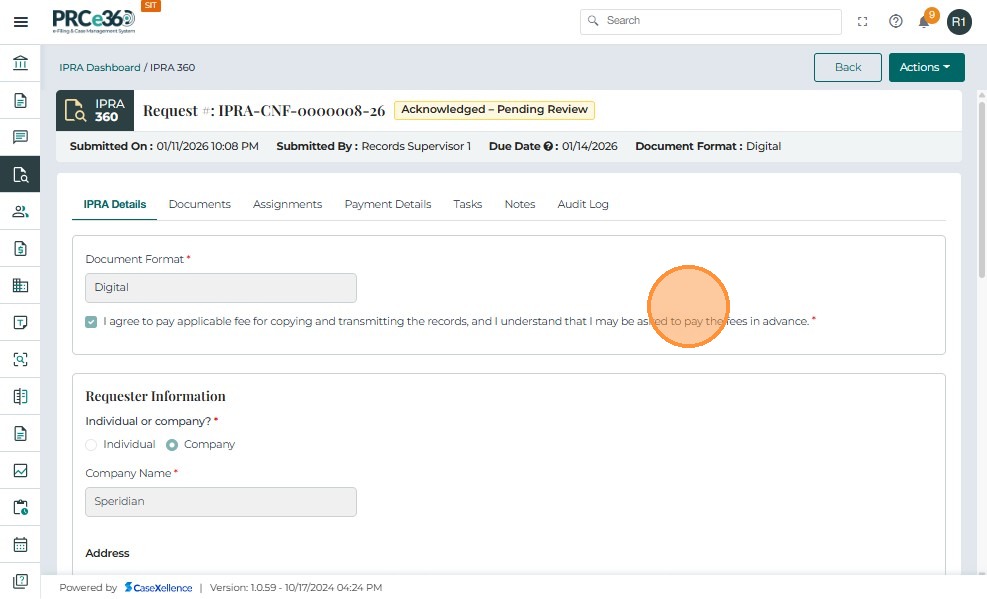
The IPRA Details tab provides an overview of the information submitted with the request.
-
Document Format - Either Printed or Digital will be displayed.
-
Records Request Section: Individual or Company
Indicates whether the request was submitted on behalf of an individual or a company.
-
If Individual is selected, the Requester's Name is automatically populated with the name of the user who created the request (e.g., Records Staff 1).
-
If Company is selected, the requester's information must be manually entered.
-
-
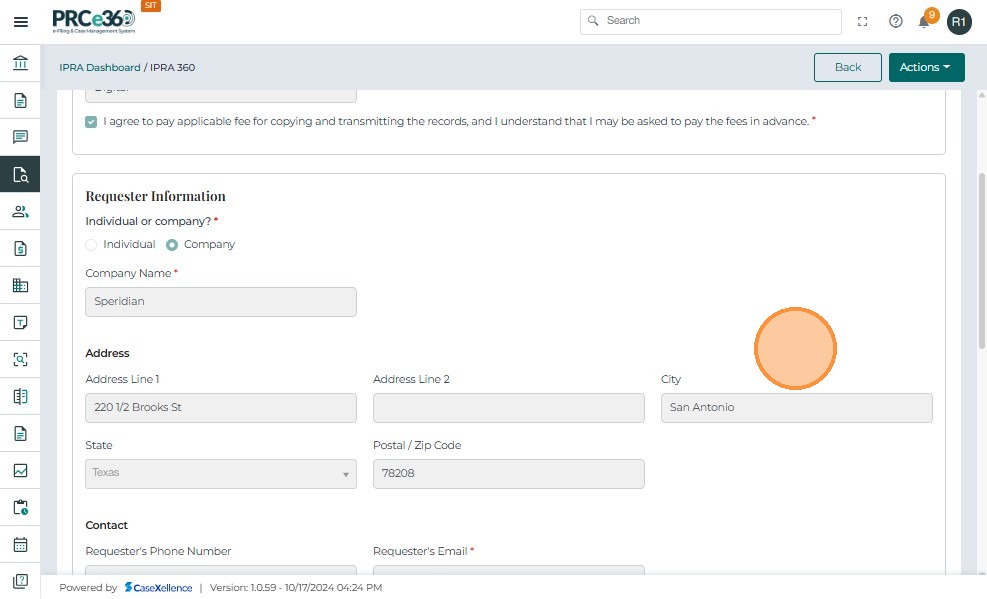
Requester Information Section
- Displays the address and contact details of the requester.
-
Once submitted, these details cannot be edited unless the IPRA Legal Counsel reopens the request for correction.
-
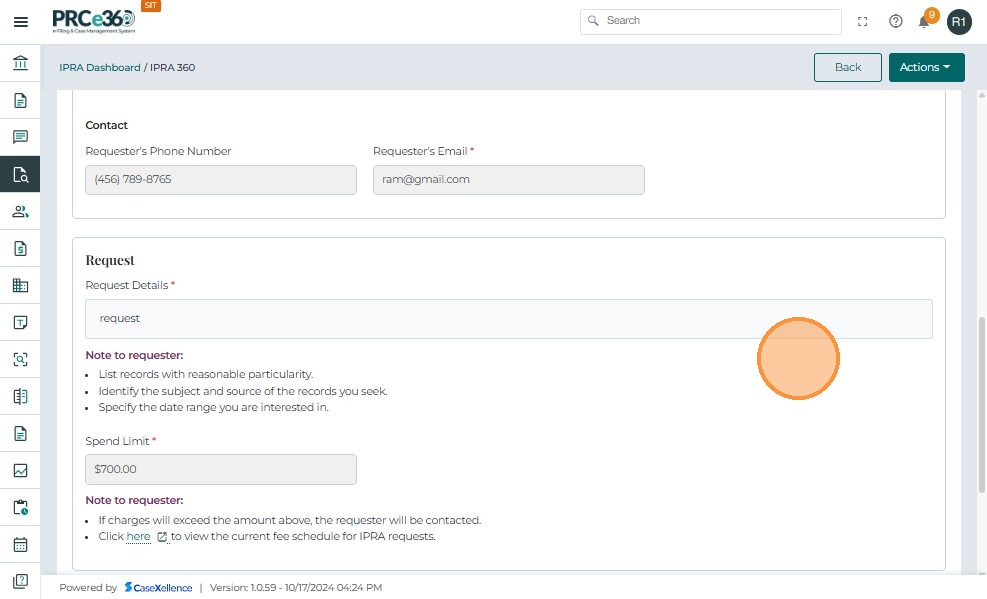
Request Section
-
Request Details – Describes the subject or scope of the records being requested.
-
-
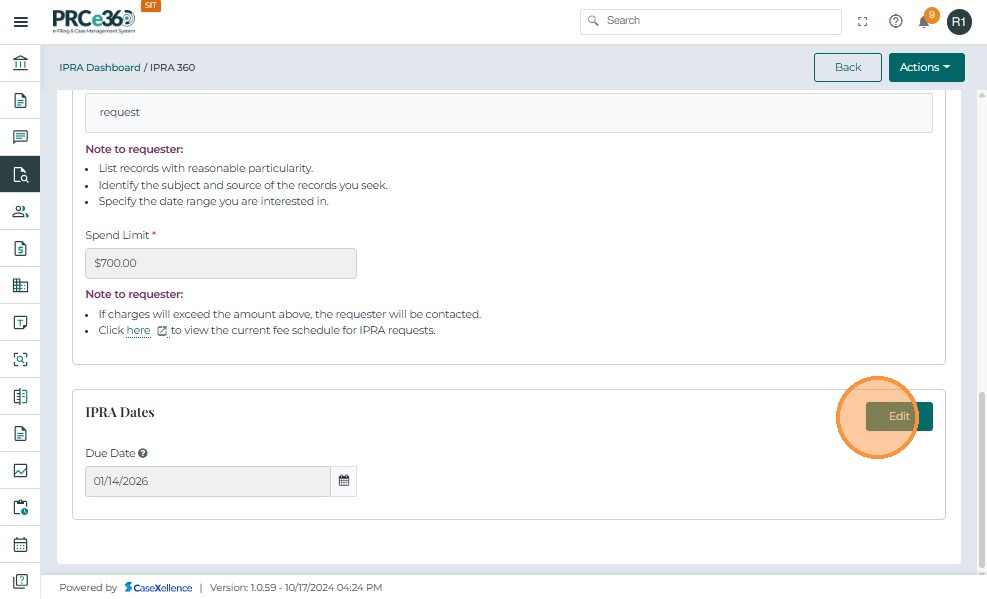
IPRA Dates
-
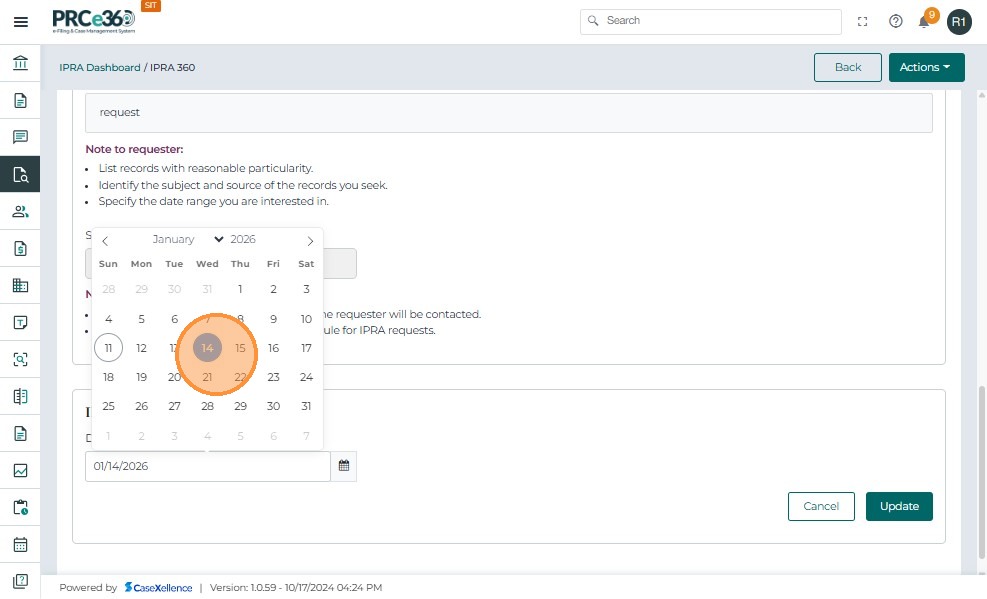
Due Date & Time – Automatically calculated to reflect the statutory 3-day response window from the submission date.
-
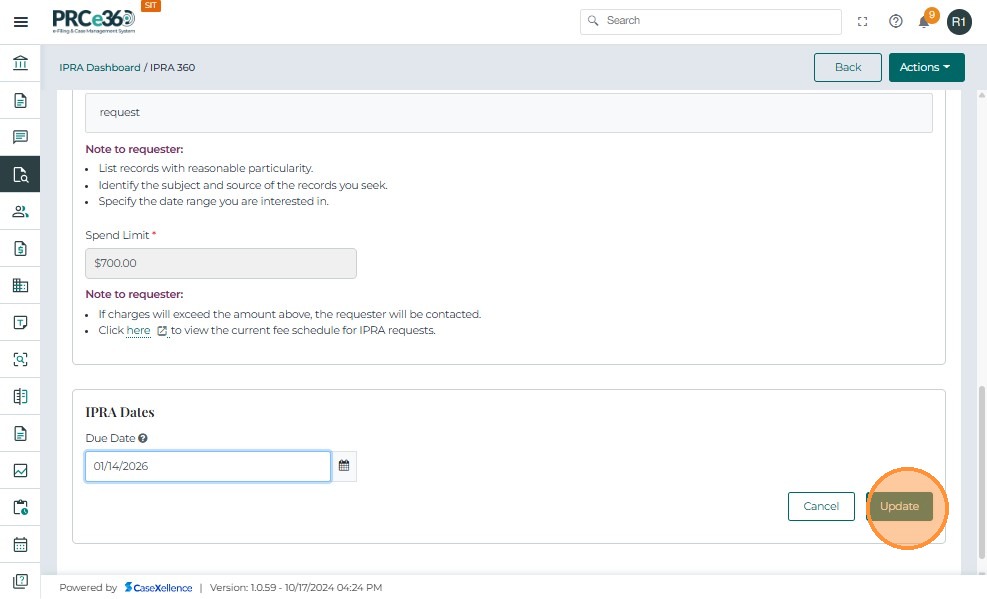
If required we can edit the dates as well.
-